
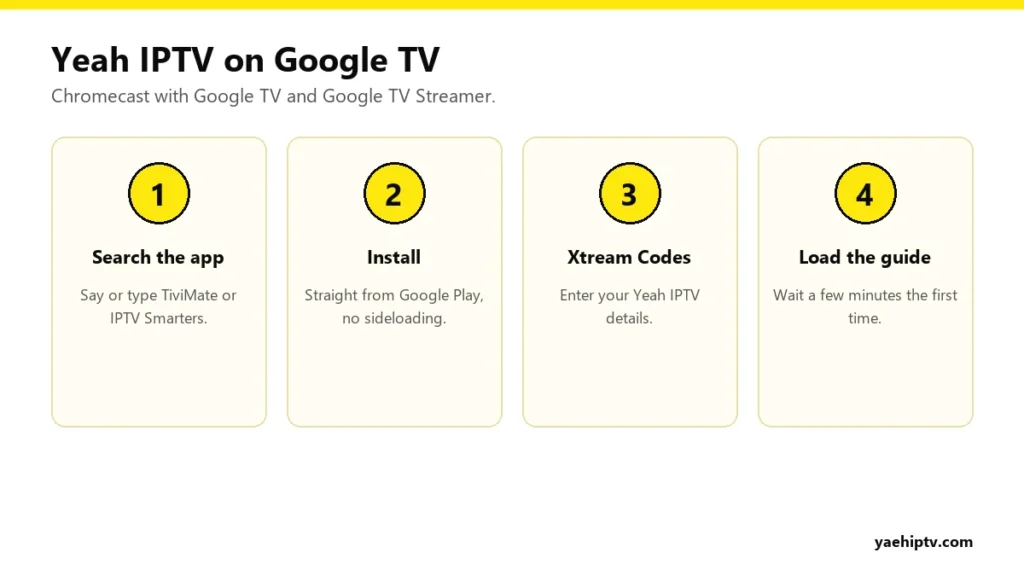
Chromecast with Google TV (and the newer Google TV Streamer) is one of the easiest devices for Yeah IPTV. It runs Android TV underneath, so the best IPTV players install straight from Google Play. No Downloader app, no “unknown sources”. This guide covers the setup and the one thing that trips up Chromecast owners: storage.
Install a Player From Google Play
Two players work best on Google TV:
- TiviMate: the best TV guide and a cable-box feel. Premium adds catch-up and recording.
- IPTV Smarters Pro: simple, with clear movies and series sections. Full guide: Smarters with Yeah IPTV.
On the home screen, go to Search, say or type the app name, and choose Install.
Log In With Your Yeah IPTV Details
TiviMate
- Choose Add playlist › Xtream Codes.
- Enter the server URL (with
http://and the port), then your username and password. - Press Next until it shows how many channels it found. Name it “Yeah IPTV” and press Done.
IPTV Smarters Pro
- Choose Login with Xtream Codes API.
- Enter a name, your username, password and server URL.
- Press Add User.
Typing tip: install the Google TV app on your phone and use its remote keyboard. It’s much faster than the on-screen keyboard.
Free Up Storage (Important)
Chromecast with Google TV has limited storage, and a big playlist plus a full TV guide needs room. If the app freezes or closes:
- Go to Settings › System › Storage and check what’s left.
- Uninstall apps you don’t use.
- Clear the player’s cache: Settings › Apps › your player › Clear cache.
- In the player, hide channel groups you don’t watch and keep the guide to 2 or 3 days.
Installing the App vs Casting From Your Phone
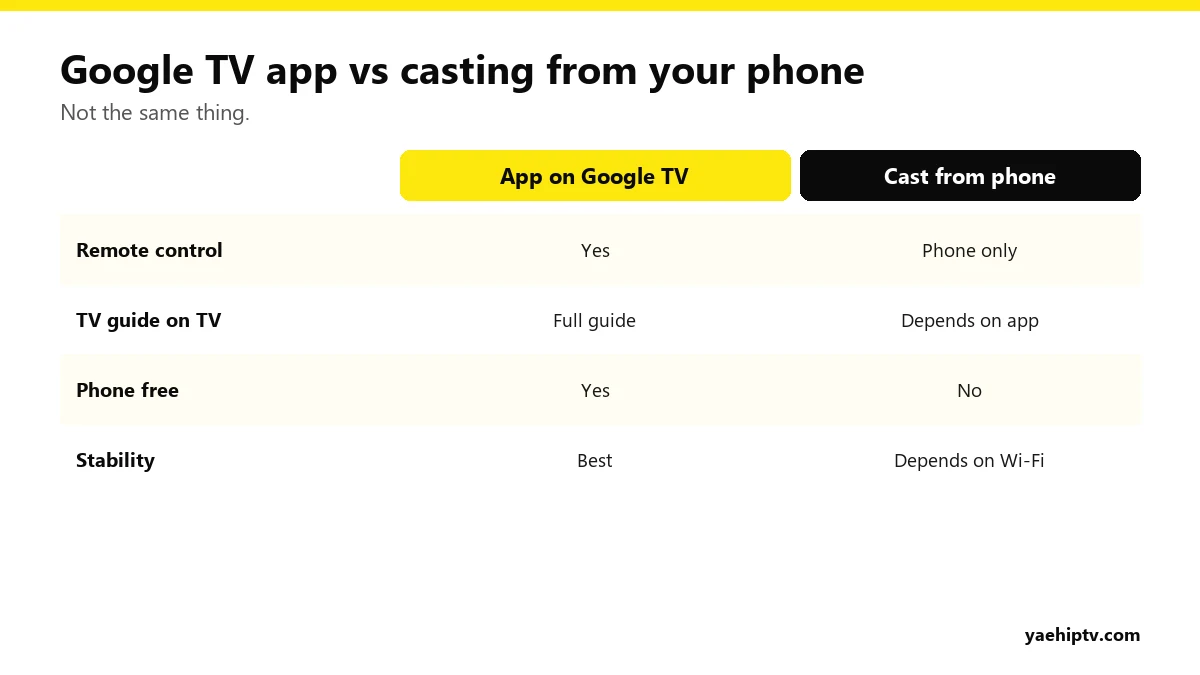
You can cast from some phone apps to a Chromecast, but installing the player on the Chromecast itself is far better. You get the remote, the full guide, and your phone stays free.
Better Picture on Google TV
- Use Ethernet with Google’s Ethernet power adapter, or a USB-C hub with an Ethernet port.
- Under Settings › Display & Sound, let the device match content frame rate if your model offers it.
- More fixes in how to fix IPTV buffering.
FAQ
Do I need Downloader on Google TV?
No. TiviMate and IPTV Smarters are in Google Play.
Does the old Chromecast (without remote) work?
The older Chromecast models only receive casts and can’t run apps. You’d cast from a phone or computer. A Google TV model is much better for IPTV.
How many Chromecasts can I use?
As many as you like can be set up. How many play at the same time depends on your connections. See the plans guide.
Need help with your IPTV?
Our team is available 24/7 to help you install and use your subscription on any device.
CONTACT US ON WHATSAPP